01 · your repo
One repository
- main checkout
- shared .git objects
- nothing else shared
Go CLI · MIT licensed · no daemon
Isolated local workspaces for parallel coding agents: one Git worktree, a private data directory, reserved ports and supervised processes per task — in milliseconds, without a VM.
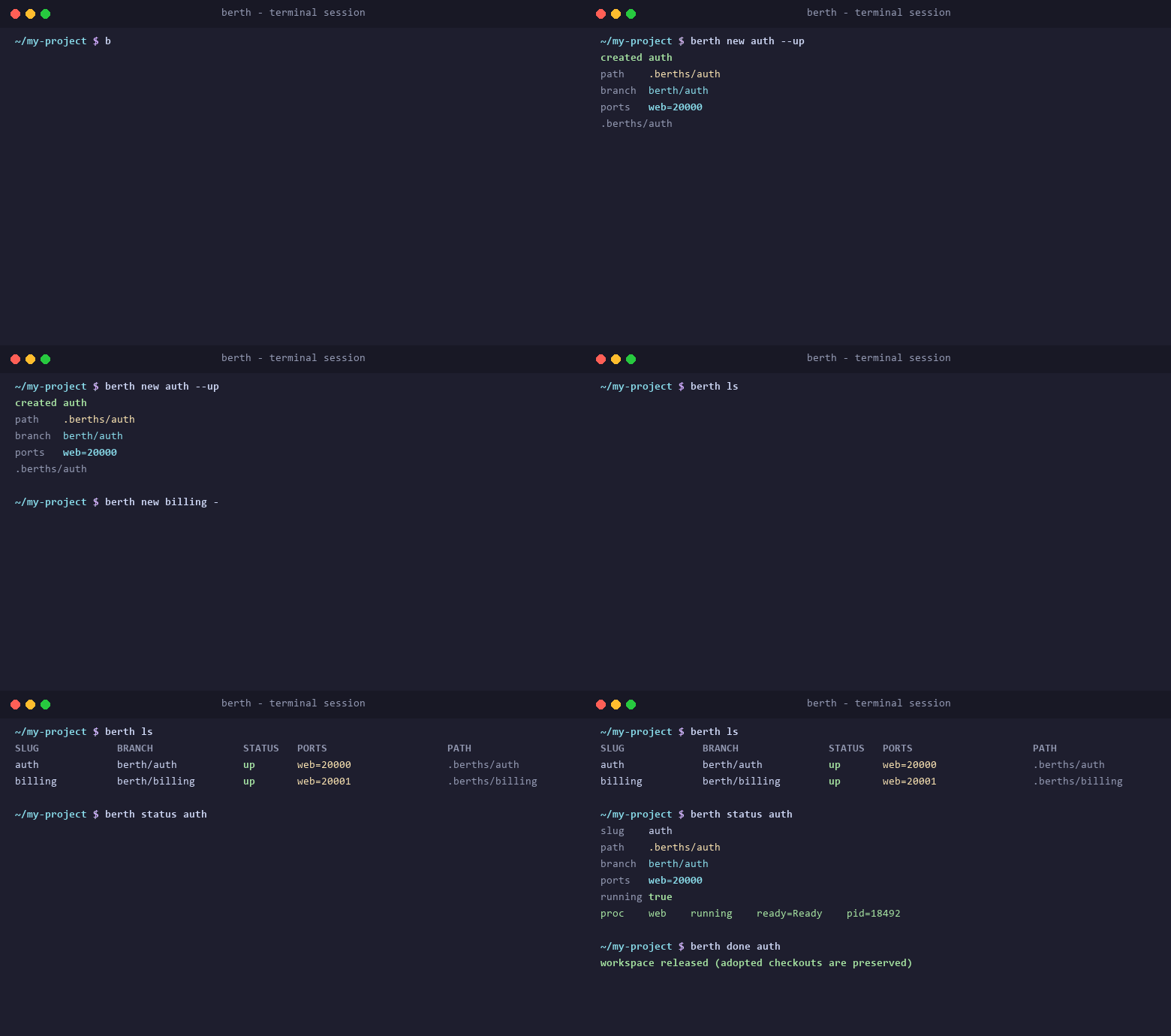
Animated screencast · init → new → run → done
go install github.com/Mrjwj34/berth/cmd/berth@latest
How it works
Every workspace owns its checkout, its data, its ports and its processes. Values below are illustrative — allocations are made per workspace.
01 · your repo
02 · agent A
03 · agent B
04 · when pushed
berth init && berth hook install all
berth new feature-a --up
berth run -- npm test
berth done feature-a
Four commands from an empty repository to a running, isolated workspace. Full walkthrough →
The boundary
Raw worktrees manage file trees. OS containers manage everything, at the cost of a boot. berth draws the line at the workspace.
| Design axis | berth | Raw git worktree | devcontainer / Docker |
|---|---|---|---|
| Isolation boundary | The workspace: worktree, private data, reserved ports, one process graph | File tree and branch only | The whole operating system, per session |
| Startup cost | Milliseconds of registry work; native mode starts host processes directly | One git worktree add |
Image build or pull, container create, then mounts |
| Port allocation | Named ports reserved atomically with the workspace record, injected as BERTH_PORT_* |
Manual per checkout — and easy to commit by accident | Explicit host mappings you keep unique yourself |
| Data isolation | Private .berth/data per workspace; dependency trees copied copy-on-write |
Gitignored files, databases and caches are shared | Separate filesystem; bind-mounted sources stay shared |
| Process supervision | up, down, logs, status over a declared process graph with readiness probes |
Background shells and remembered PIDs | Container lifecycle; services are yours to supervise |
| Host filesystem speed | Native speed by default; container mode keeps the checkout on a bind mount | Native speed | Bind-mount penalty on macOS and Windows |
What Git already gives you, and the four things it leaves to you.
When the OS boundary is right, and what it costs per environment.
A session layer needs a runtime underneath. berth is that layer.
What a workspace owns
All of it lives in berth.yaml, committed with the repository and applied per workspace.
berth new <slug> creates <repo>.berths/<slug> on branch berth/<slug>, so two agents never edit one checkout.
Ports are reserved in the same cross-process transaction that registers the workspace, and stay stable for its lifetime.
$BERTH_DATA_DIR holds the databases, caches and fixtures; copy_dirs clones dependency trees with copy-on-write.
The declared process graph runs in the workspace runtime; up waits on readiness probes and status --json tells you the truth.
File locks plus one registry file. Separate workspaces proceed concurrently; commands inside one workspace serialize.
Native mode runs host processes with zero virtualization. Container mode reuses one prepared Linux image per workspace — never a per-command build.
Works with your agent
berth is a plain CLI, so any agent that can run shell commands can drive it. One skill installs into the shared .agents/skills convention.
Claude Code and Cline read only their own skill directory, so berth skill install --agent claude,cline writes a copy there too. Run berth agents to see what is installed. Agent integration →
FAQ
Operational detail lives in the documentation; these are the questions people ask first.
Yes — that is the case berth is built for. Each session gets its own workspace: a linked worktree on its own branch, a private data directory, its own reserved ports and its own supervised processes. They share Git objects and nothing else that matters.
Create one per agent with berth new <slug> --up and let each session work from the path it prints.
Declare the ports once in berth.yaml — ports: [web, pg] — and every workspace reserves unique host ports for those names. The service binds BERTH_PORT_WEB; browser code and host tools use BERTH_HOST_PORT_WEB. Nothing is hardcoded, so nothing local can be committed by accident.
If you need OS-level isolation, a uniform Linux toolchain or CI parity, use the container — berth is not a replacement for that, and container mode is not an attempt to be one.
berth isolates the workspace instead: native by default, with ports, data and environment separated by construction. Reach for its container backend when a program hardcodes a listen port or the toolchain is Linux-only.
No. There is no background service and no socket to keep alive: file locks plus a single registry file (~/.berth/state.json, relocatable with BERTH_HOME). Long operations hold their own workspace lock, and supervision is delegated to process-compose or the container engine.
berth down keeps everything and stops the processes. berth reset wipes the private data directory deliberately. berth done requires the branch commit to be preserved and the worktree to be clean, then removes the checkout — --force cannot bypass ownership, identity or shutdown checks, and adopted checkouts are always preserved.
Yes: prebuilt binaries for Linux, macOS and Windows, with native CLI acceptance covered on all three in CI. Native hooks use sh on Unix and cmd on Windows, so shell scripts are not interchangeable; container mode needs an existing Docker or Podman engine.